What's SPEAKABOO?
Speakaboo is a mobile app that helps blind and low vision users understand their surroundings using a simple voice-based interface.
We led UX research to uncover user needs and pain points, focusing on reducing friction and making the experience as intuitive and empowering as possible.
MY ROLE
Led research, concept development, and UX & Sound design
TEAM
2 product designer, 2 UX Researchers, Project manager, 1 Sound Designer
THE PROBLEM
People who are blind or have low vision face challenges with both navigation and understanding their surroundings.
Current assistive tools rely on visual cues or voice-only feedback, which are often slow, confusing, and error-prone.
With clear signs and arrows, it’s easy to guide someone to a destination.
Hover here
But what happens when those visual cues don’t exist? How does someone who is blind or low vision find their way?
The EXPECTED Impact
Faster navigation
spatial audio and real-time feedback reduced the time to move from one point to another.
Less reliance on external assistance
Tasks are completed faster, with fewer delays.
Increase in user confidence
multimodal cues reduced errors and improved trust in the system.
Quicker task initiation
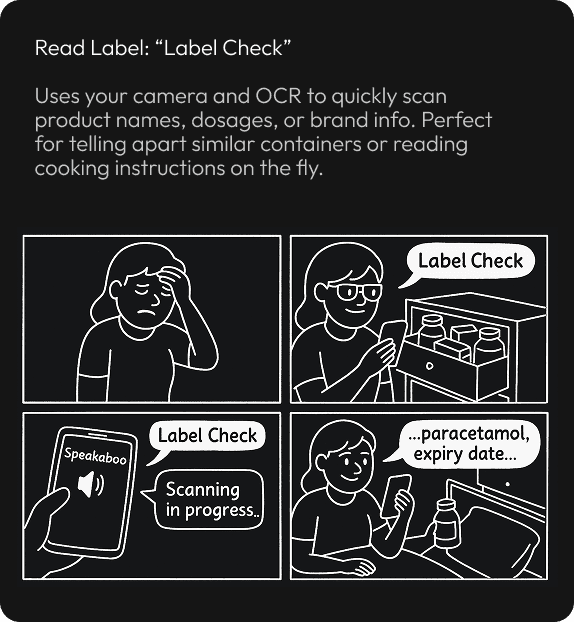
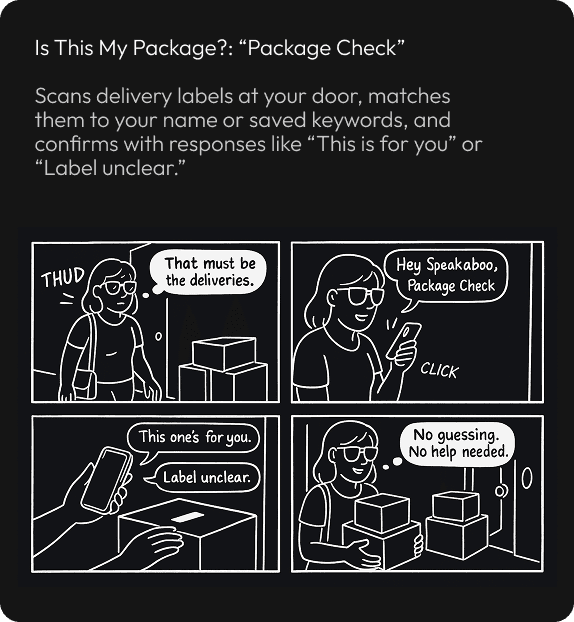
customizable Apple Shortcuts streamlined actions like mail reading or expiry checking.
Solution Preview
A supportive multimodal layer interaction design to restore confidence, independence and provide awareness.
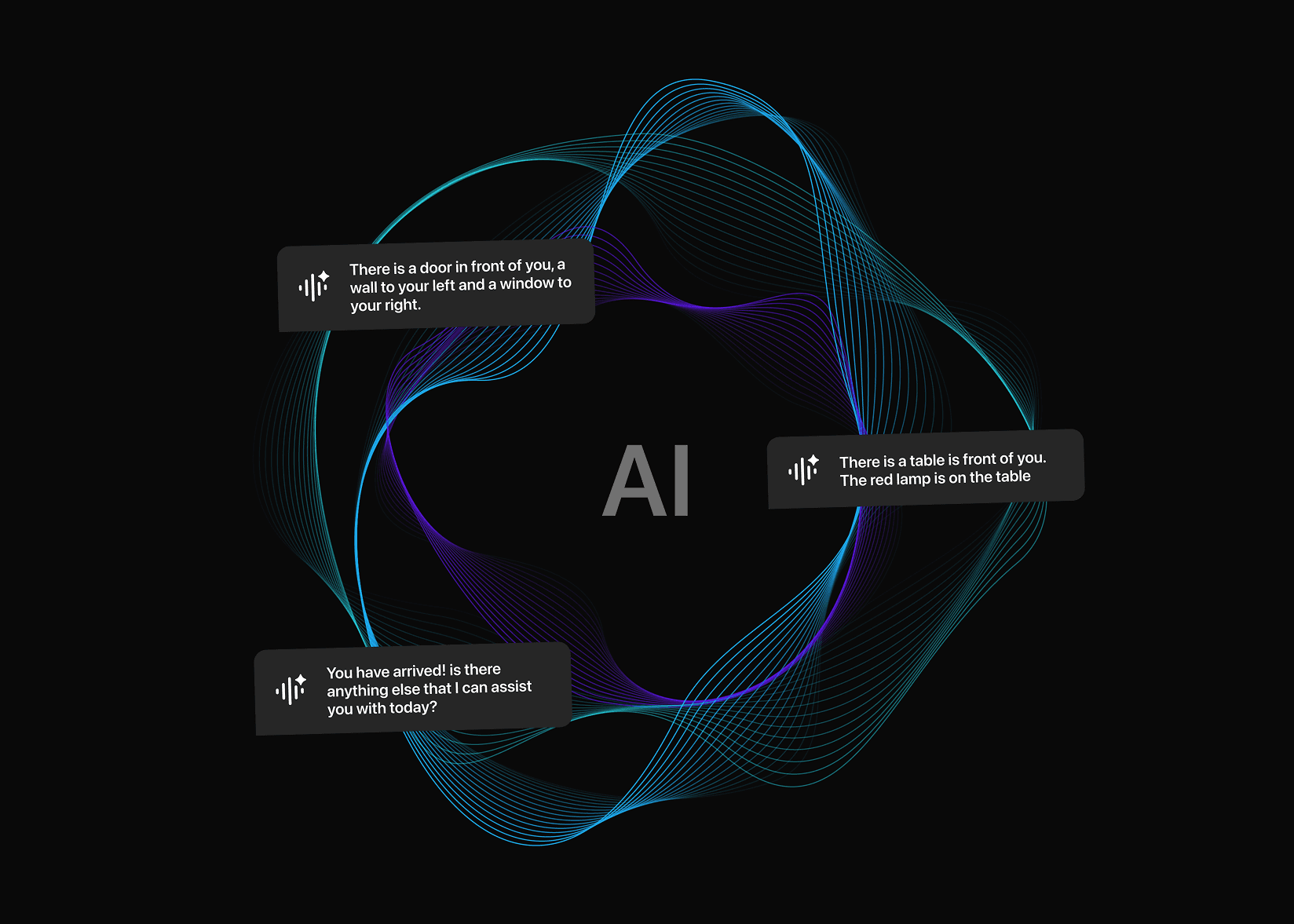

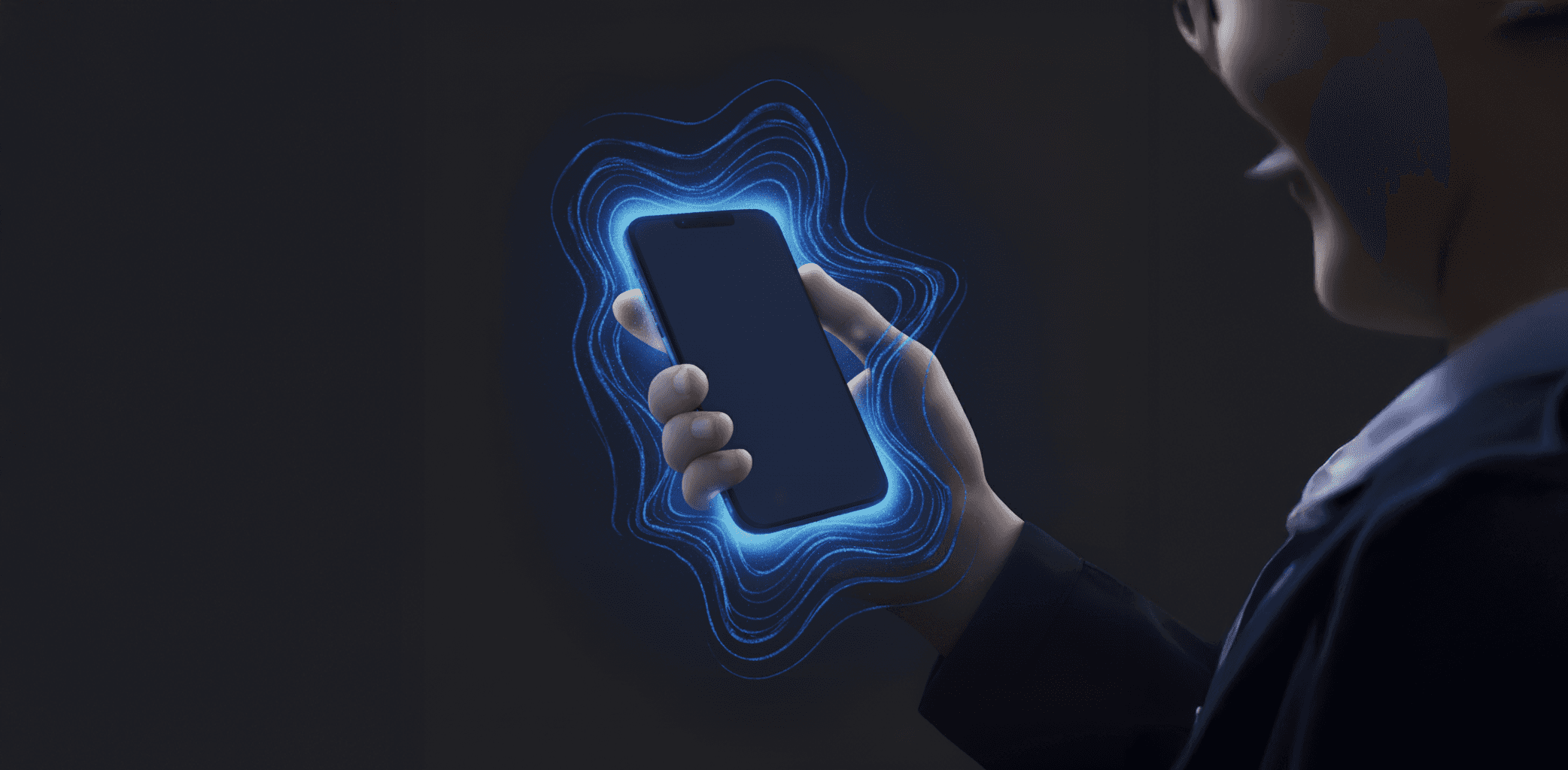
Conversational AI + Spatial Audio + Haptics
Real-time conversational AI provides contextual information and emotional support, spatial audio builds continuous awareness of surroundings and object locations, and haptics complements both by reinforcing cues in environments where users cannot rely solely on sound.

Short on time? Skip the process and see the final designs →
Behind the scenes
Let’s rewind. How did we arrive at this solution?
Competitor Usability Testing
Why haven’t existing apps solved these pain points?
I conducted competitor usability testing by using each product for 3 weeks, which helped me uncover interaction pain points beyond feature comparisons.

Needs environment setup; geotagging helps but isn’t fluid on the move.

Chat-style prompts slow interactions for quick tasks.

Human help adds dependency and availability friction.

Spatial cues exist, but UI feels visually heavy and overwhelming.

Requires pre-setup; audio cues tied to fixed paths, limiting flexibility.
Whitepaper & Literature research
What do experts say technology still fails to deliver?
I reviewed accessibility research papers to uncover gaps that current assistive technologies often overlook.
Mental Maps > Turn-by-Turn
Tech should help users form mental models, not just follow steps. This boosts independence.

Beyond Cane Reach
Canes miss overhead/late-detect hazards; early AI detection reduces surprise risks.

Prioritize What Matters
Elevators > escalators; ignore small debris. Users want to choose alert categories and context-aware filtering.
Don’t Block the World
Audio must not mask ambient sounds; bone-conduction and dynamic volume keep ears open.
Interview Insights
Why does independence collapse in unfamiliar spaces?
I conducted 8+ interviews and storytelling sessions with people who are blind or have low vision to understand their lived experiences and daily challenges.
“Finding the bus stop or even the right door is harder than just walking.”
“
"I don’t want step-by-step instructions. I just need to know what’s around me so I can build my own map."
“
“I don’t like asking for help all the time. It makes me feel dependent.”
“
“I avoid going to new places unless I have someone with me. I get anxious when I don’t know what’s around me.”
“
“My cane helps with the ground, but I can’t tell if there’s something above my head.”
“
“GPS helps me get close, but the last few steps are always the hardest.”
“
Key Quote from our interviews
This insight resonated in every conversation.
"Anything that helps move us from dependent to independent is highly appreciated."
- Participant 01 | Psychotherapist
“
“
Survey Insights
When should support step in and when should it step back?
The caregiver survey helped us understand the supportive role Speakaboo could take on and how it could be shaped to complement both users and their supporters.
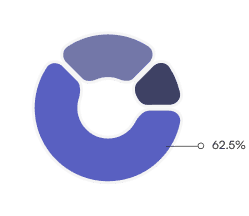
Supporters said they struggle to judge the right timing and amount of help.
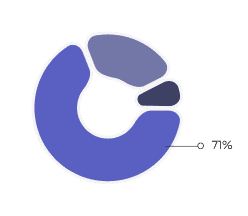
Expressed the need for personalized, accessible, and timely guidance while assisting users.
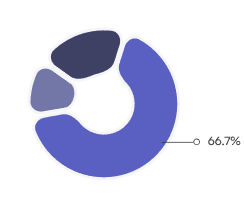
Respondents reported helping users set up and learn new assistive tech.
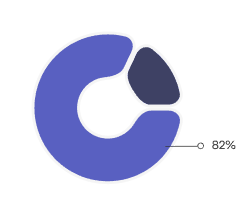
Emphasized that emotional reassurance is as vital as functional help.
Affinity mapping
What did clustering insights reveal about what users truly need?
The caregiver survey helped us understand the supportive role Speakaboo could take on and how it could be shaped to complement both users and their supporters.
UX Researcher 1
UX Researcher 3
Uday Shankar
UX Researcher 3
No single feedback channel (voice, haptics, or audio) was enough. The ideal experience lies in the balance of multimodal feedback, tailored to context.

Accessibility extends beyond functionality, it’s about emotional safety, dignity, and pride. Speakaboo’s tone, responsiveness, and adaptability.
Independence always points back to one theme: contextual awareness, not navigation, is what builds safety, trust, and freedom.
Transparency builds trust, users feel safer when AI admits uncertainty and clarifies errors instead of pretending to be right.

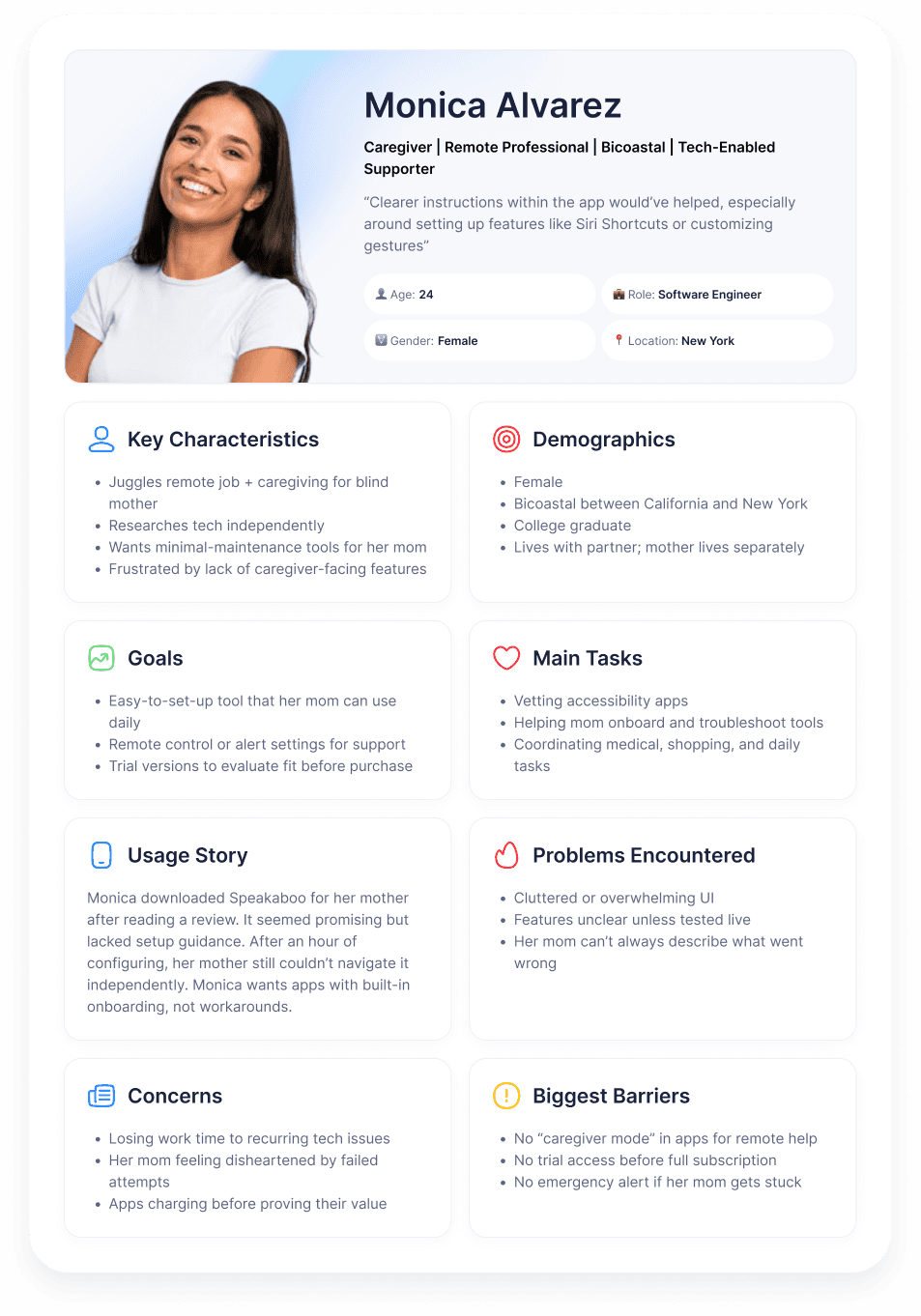
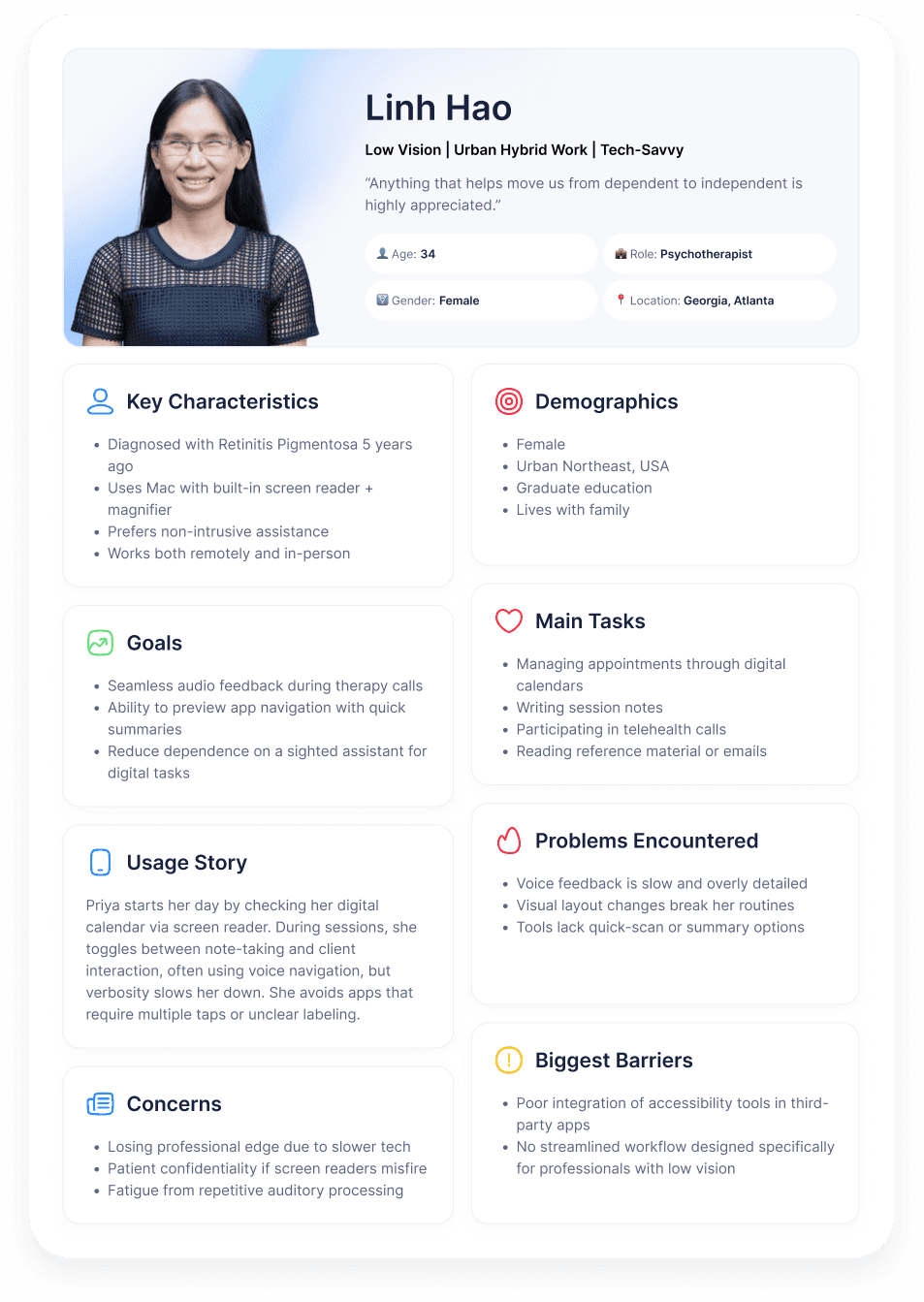
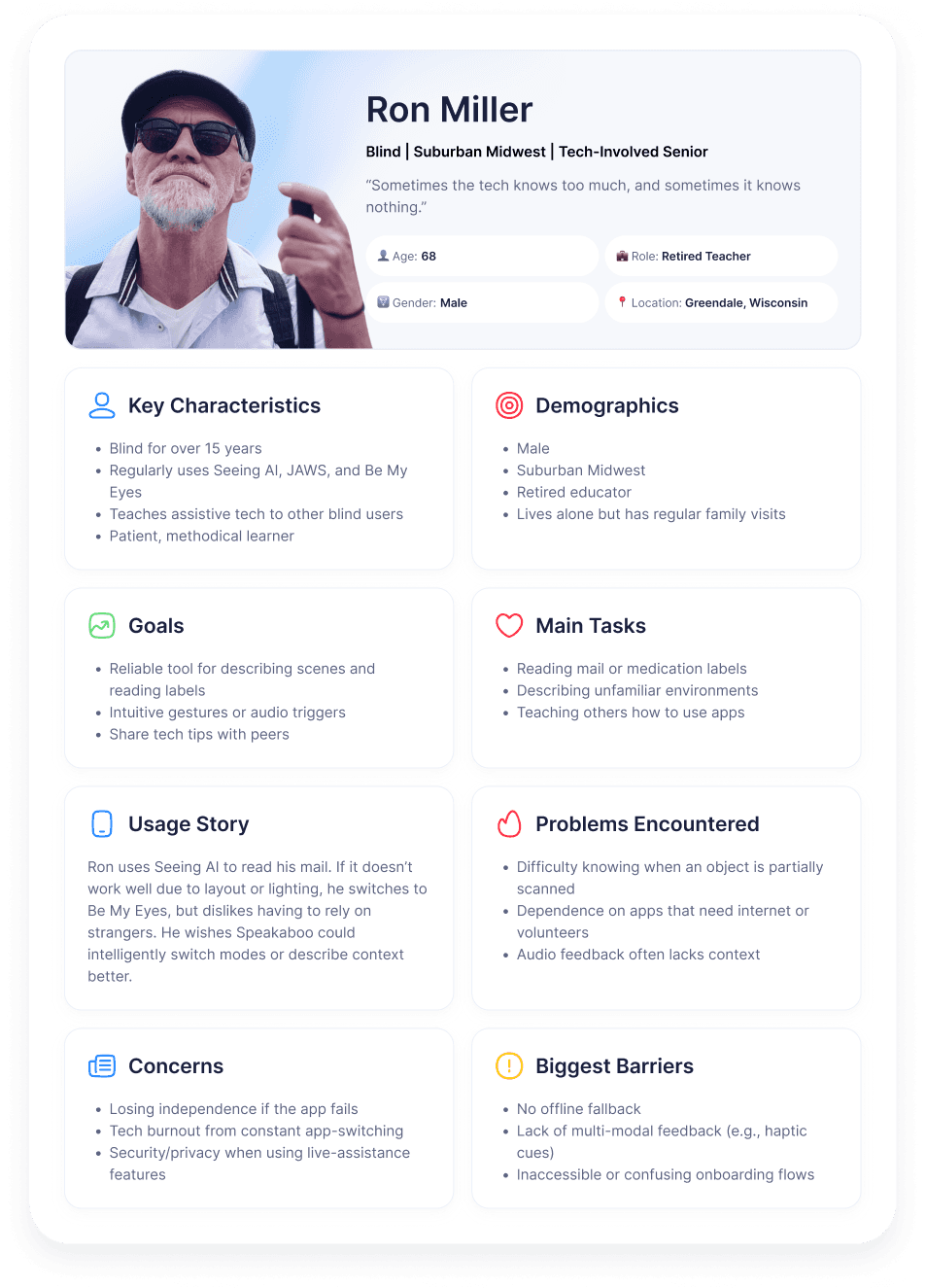
Personas
Who are we designing for, and what roles shape their experience?
Low-vision users guided how we balanced visual and auditory awareness, blind users defined trust and feedback timing, and caregivers influenced setup simplicity and learning flow.
Together, they anchored every design decision toward independence with support when needed.
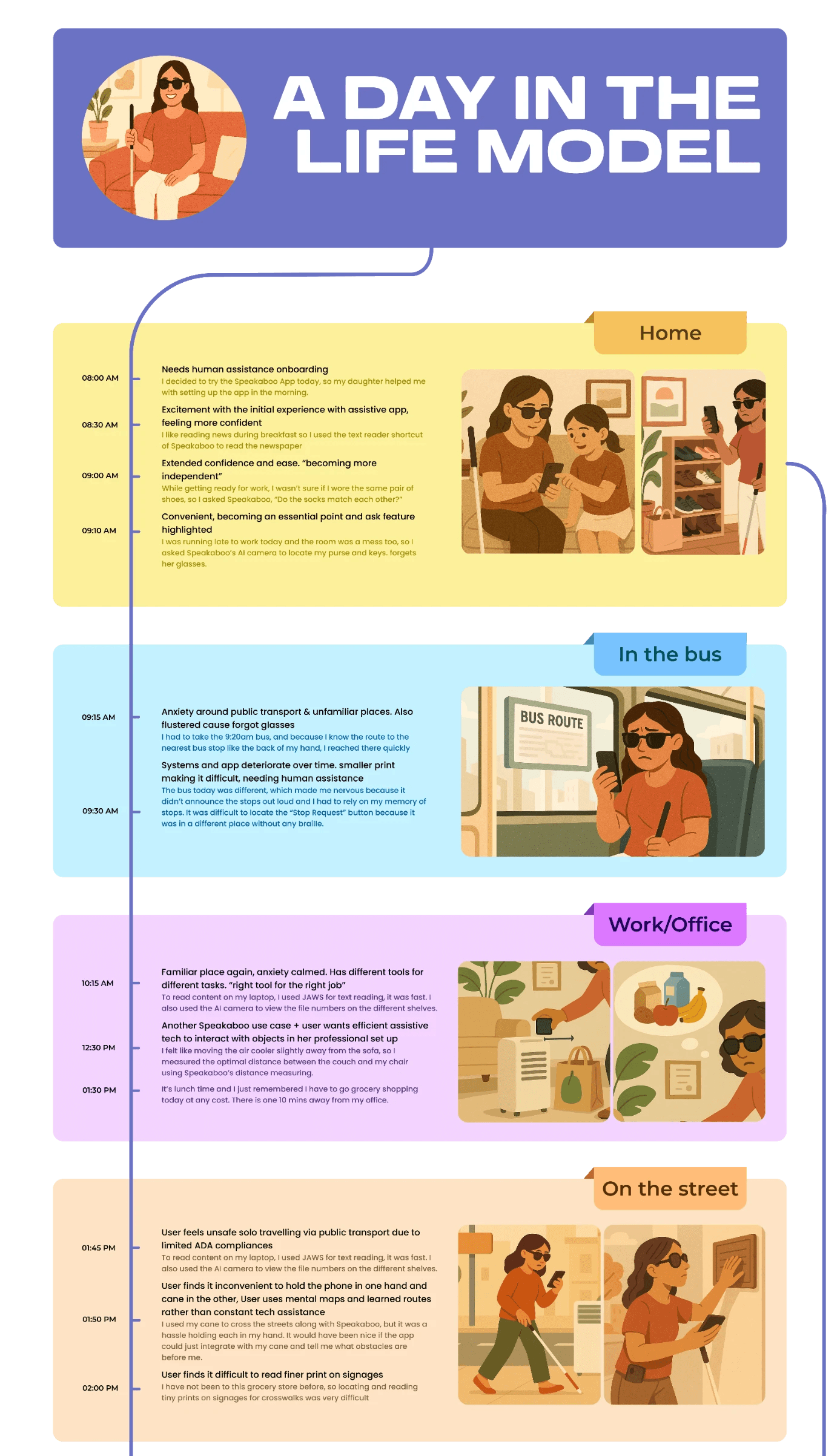
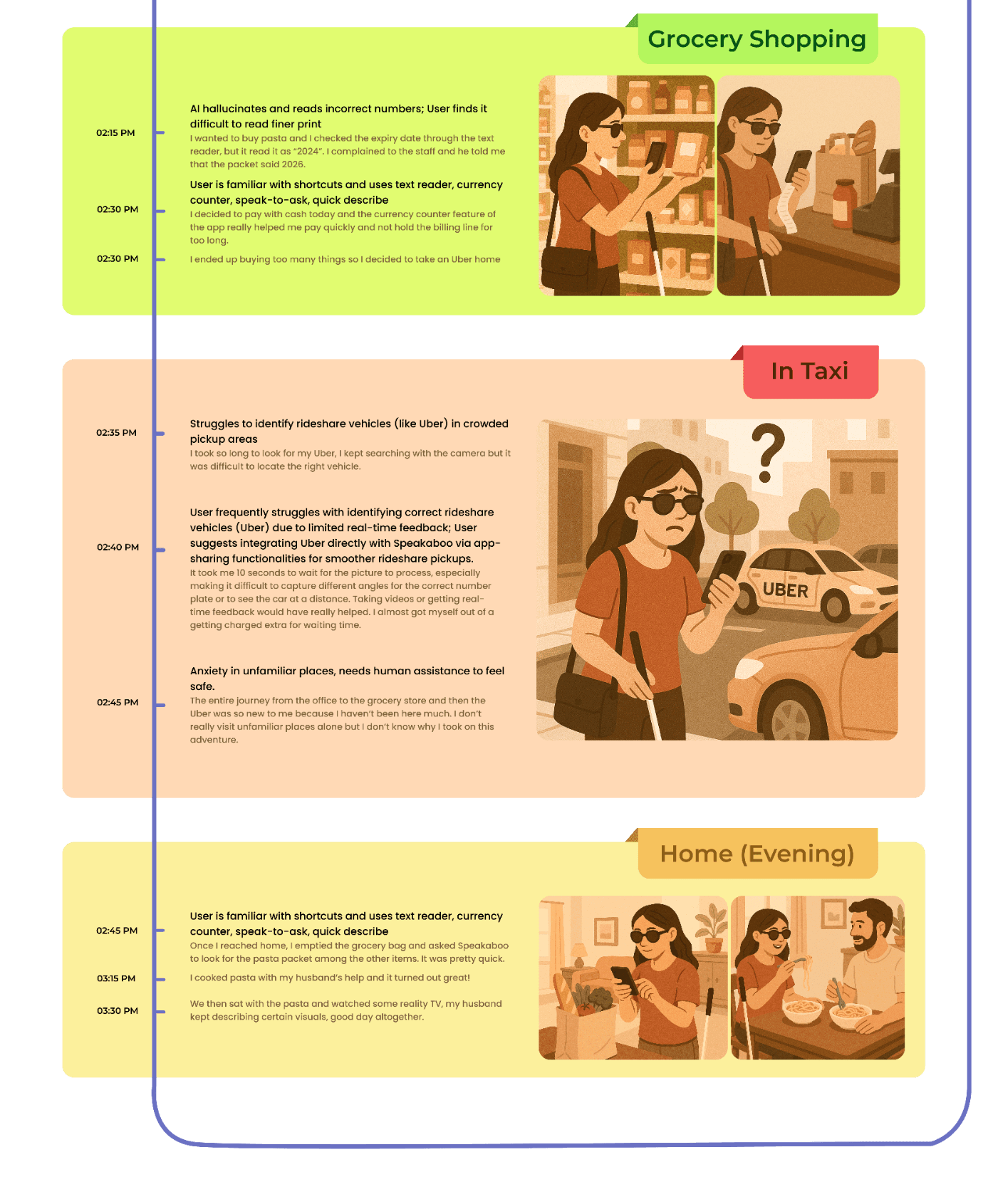
Day-in-the-Life & Storyboards
How can Speakaboo assist throughout a user’s daily journey?
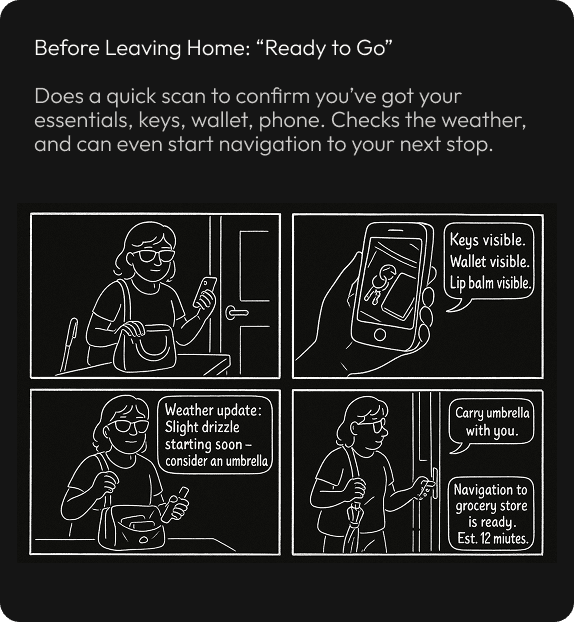
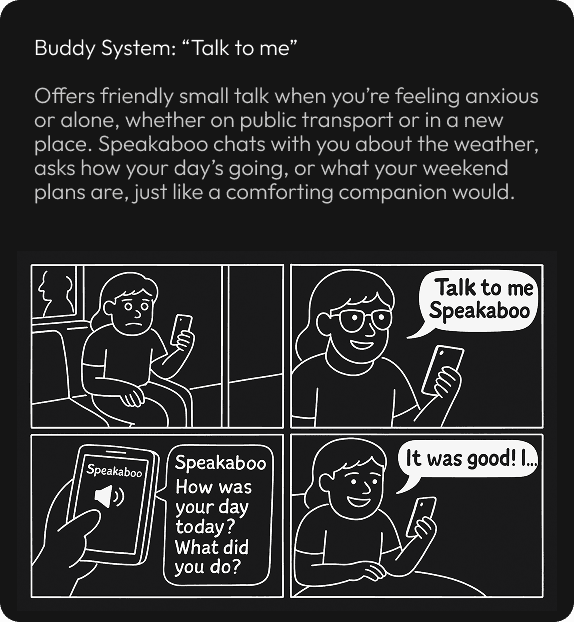
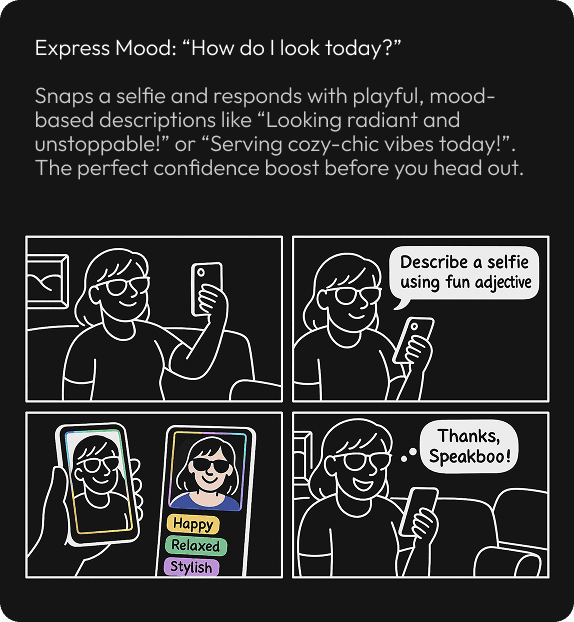
I storyboarded everyday journeys from commutes to indoor navigation to reveal “awareness gaps” where current tools fall short.
Guiding Speakaboo’s timing and responsiveness: announce when needed, confirm when aligned, quiet when safe balancing guidance, freedom, and confidence with minimal cognitive load.
Building Speakaboo
Designing the system behind awareness.
Design Strategy
Speakaboo’s design strategy centered on creating an experience that feels instant, adaptive, and unobtrusive, guiding when needed, confirming when aligned, and staying quiet when safe.
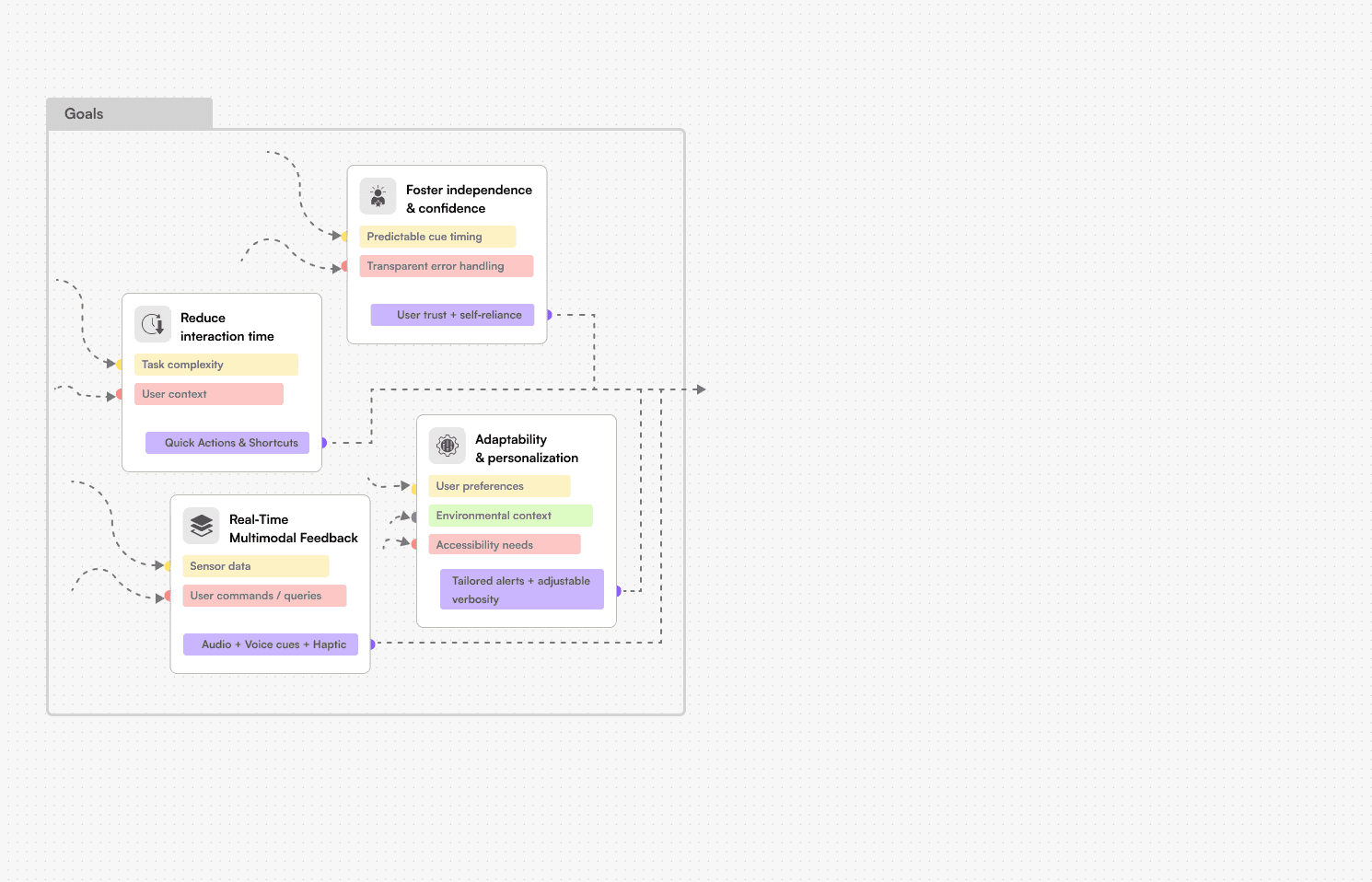
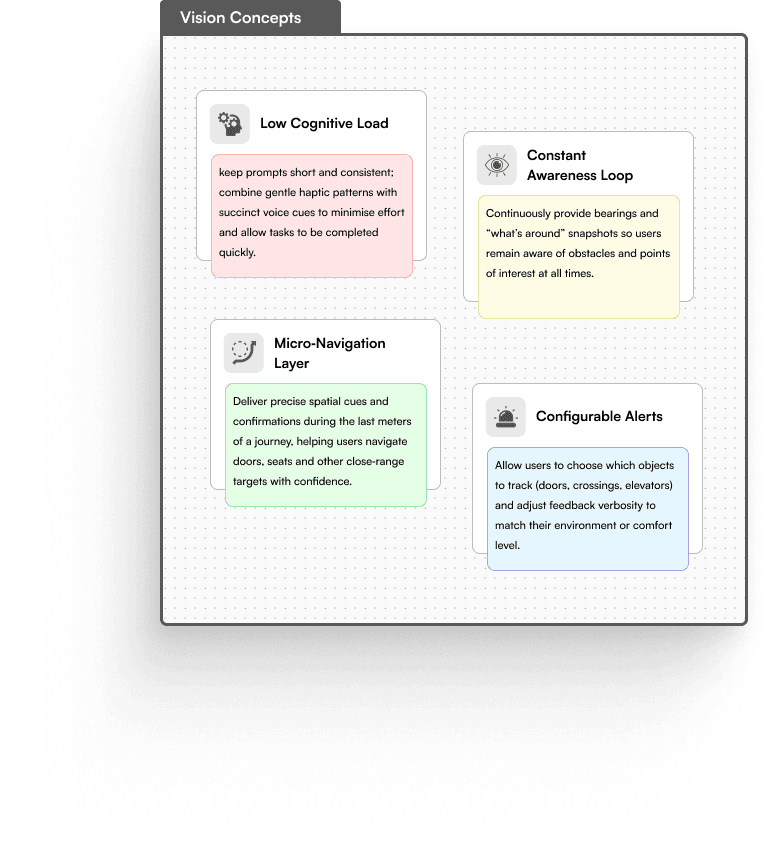
system design
Defining when each layer speaks, vibrates, or listens. So feedback feels effortless.


Final pROTOTYPES
Designing the system behind awareness.
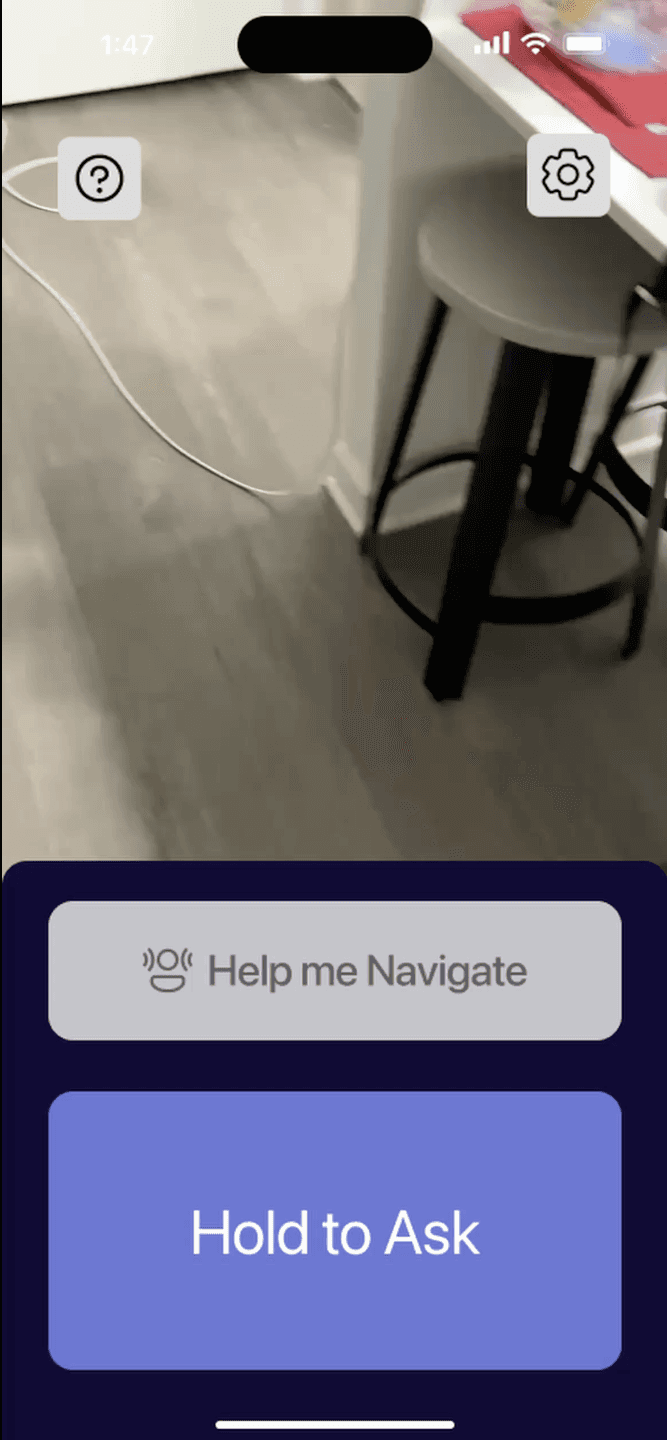

🔊 Spatial audio is a key part of the solution. Please ensure your sound is on, the video will play audio automatically.
assistance in navigation
Uses spatial audio and haptics to guide users toward doors and paths while avoiding obstacles. The AI voice provides quick, contextual cues to keep users oriented with minimal effort.
assistance in finding objects
Using spatial mapping, Speakaboo detects and identifies nearby objects like doors, furniture, or key landmarks and delivers precise directional feedback through sound and vibration. This helps users locate and approach objects faster, minimizing uncertainty in unfamiliar spaces.
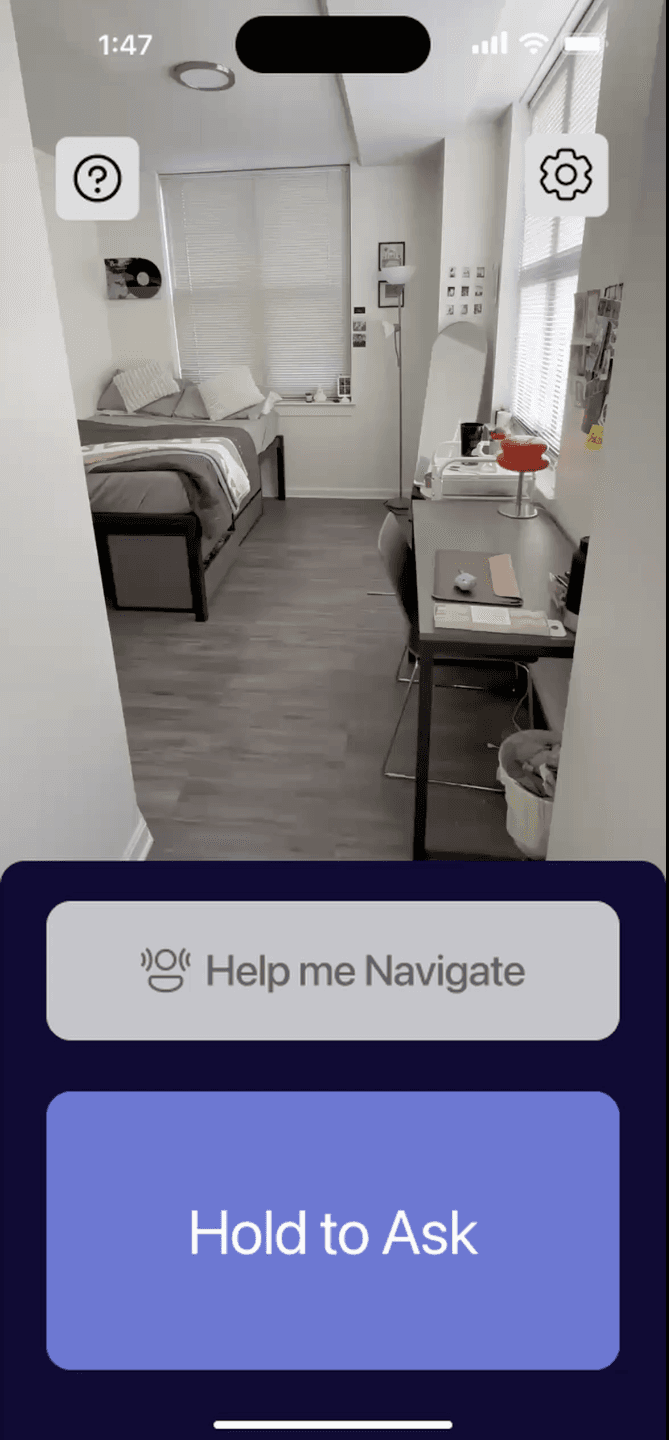
🔊 Spatial audio is a key part of the solution. Please ensure your sound is on, the video will play audio automatically.
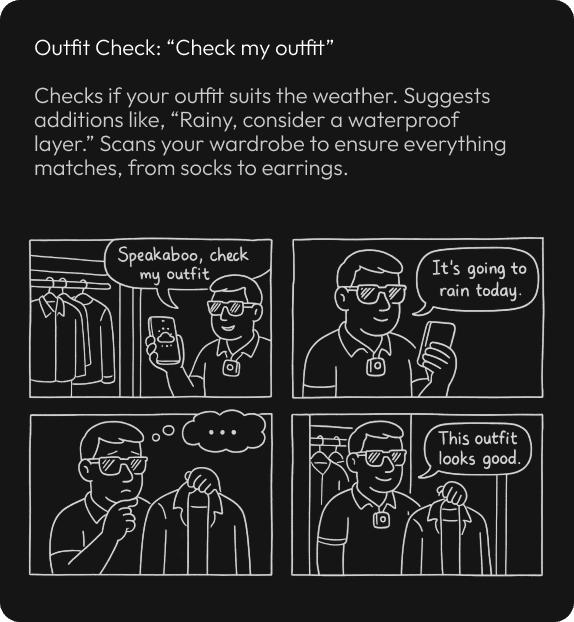
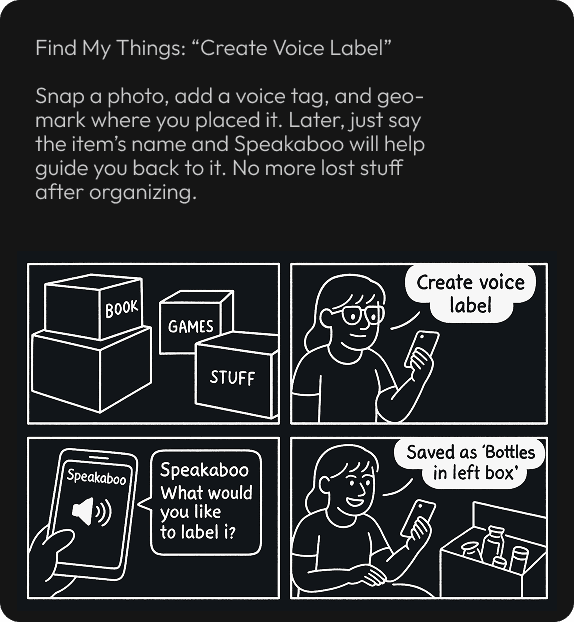
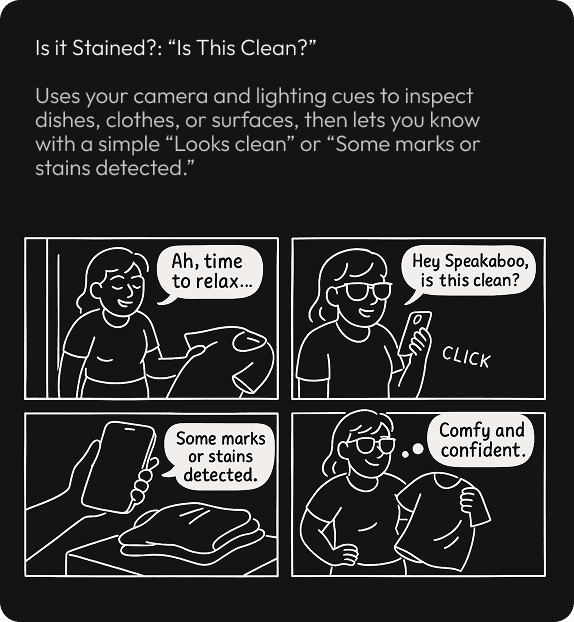
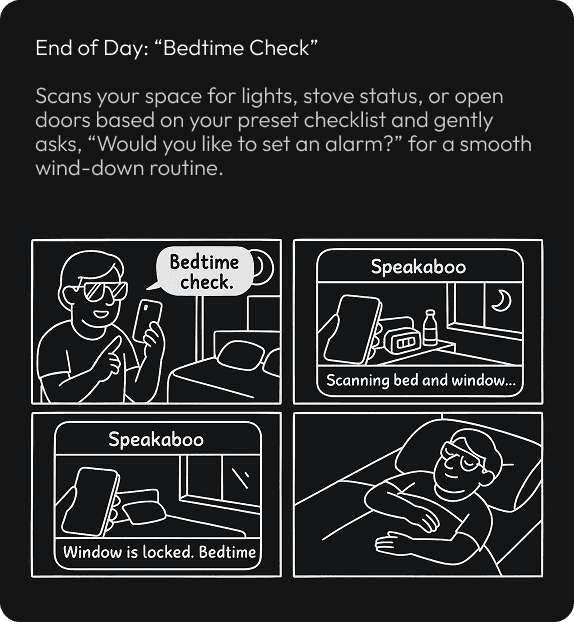
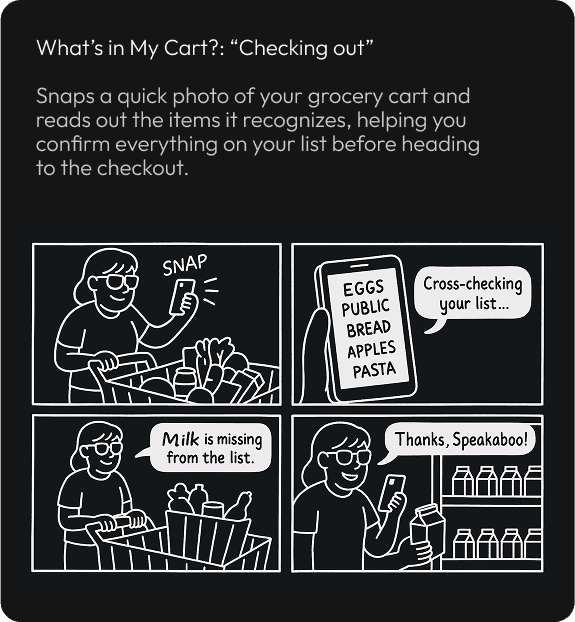
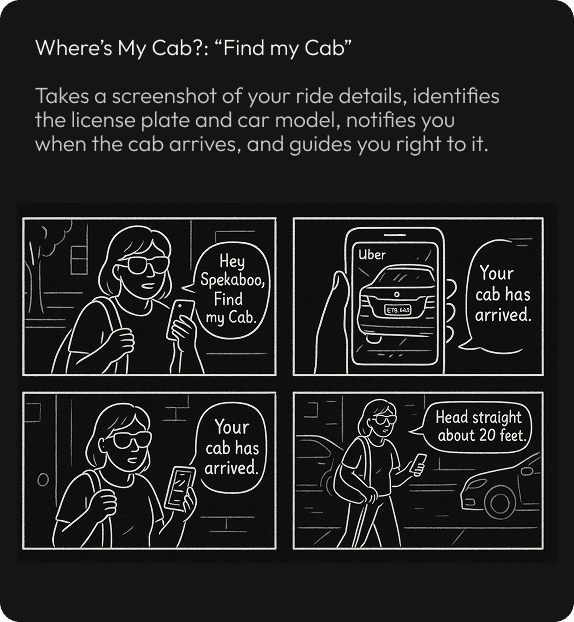
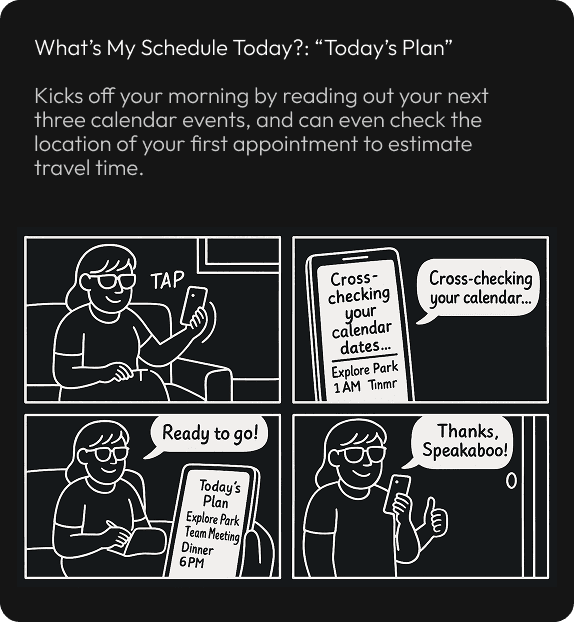
iOS Shortcuts to help finish task quicker
With personalized iOS Shortcuts, users can trigger essential actions like finding a door or asking for directions using a single voice command or tap. This feature reduces interaction time and streamlines daily tasks, giving users more control with less effort.
Future Enhancements
Wearable integration: Expanding Speakaboo into smart glasses or wristbands for seamless, hands-free navigation.
Adaptive feedback: System learns from context - noise levels, crowd density, motion to fine-tune cues in real time.
Quick recovery: Introducing an “I’m lost” option that instantly reorients or recalibrates directions.
Custom profiles: Allowing users to personalize feedback tone, intensity, and pacing for comfort and clarity.
Currently under development | July 2025
Reflections & Lessons
Designing something unseen yet deeply felt reshaped how I think about interaction. It pushed me to move beyond visuals toward trust, timing, and sensory balance.
Early prototypes overloaded users and struggled in noisy environments but those challenges became the biggest teachers. They proved that clarity beats complexity, and accessibility works best through restraint, not excess. User feedback made one thing clear innovation happens when design disappears, when interaction feels effortless, adaptive, and human.
And that's a wrap!